اذهب الي المحتوي
أوفيسنا
بحث مخصص من جوجل فى أوفيسنا
Custom Search

الاقسام

  1. الترحيب

    1. 1
      مشاركه
  2. قسم تطبيقات و لغات مايكروسوفت

    1. منتدى الاكسيل Excel

      هذا المنتدى مخصص للمواضيع الخاصة ببرنامج الإكسيل فقط

      365.2k
      مشاركات
    2. قسم الأكسيس Access

      Access هذا المنتدى مخصص لمشاركات الأكسيس

      257.7k
      مشاركات
    3. منتدي الوورد Word

      Word هذا المنتدي مخصص للمشاركات الخاصة برنامج الوورد

      16.4k
      مشاركات
    4. منتدى الباوربوينت

      Power Point هذا المنتدى مخصص لمشاركات الباور بوينت

      5.9k
      مشاركات
    5. منتدى الاوتلوك Outlook

      Outlook منتدي مخصص للمشاركات الخاصة الأوتلوك

      1.8k
      مشاركات
    6. المنتدى التقني العام و تطبيقات الأوفيس الأخرى

       هذا القسم خاص بالحوار المتعلق بتطبيقات  الأوفيس الغير مخصص لها أقسام المنتدى، ومختلف المواضي التقنية الأخرى، ولا يسمح بنشر اعلانات بالقسم أو حاوارات ثقافية أودينية أو سياسة أو ما هو خارج تطبيقات الأوفيس. نشر مواضيع جديدة فى هذا القسم غير متاح للأعضاء الجدد  للقواعد الكاملة اضغط هنا


      16.1k
      مشاركات
    7. إعلانات شخصية للأعضاء

      هذا القسم مخصص لاعلانات الاعضاء الخاصة سواؤ طلب برنامج او عرض عمل برنامج او طلب وظيفة او عرض وظيفة تتعلق بالاوفيس او البرمجة، و على الطالب وضع وسائل الاتصال به ، ولا يسمح بالرد او تحميل الملفات حيث أن الموقع لا يتحمل أي مسئولية من أي نوع عن هذه الطلبات. . يتم تفريغ المحتوى دوريا ، و لا يسمج بالتكرار

      1.1k
      مشاركات
    8. قنوات تعليمية وإعلانات دورات تدريبية

       قسم خاص لاعلانات القنوات الشخصية و الدورات التدريبية  المجانية أو التي تقدمها شركات تدريب ولا يسمح بالرد أو التفاعل  او تحميل الملفات حيث أن الموقع لا يتحمل أي مسئولية من أي . نوع عن هذه الاعلانات . يتم تفريغ المحتوى دوريا ، و لا يسمج بالتكرار

      211
      مشاركات
  3. إدارة المشاريع والبحث العلمي وعلوم البيانات

    1. إدارة المشاريع ومحافظ المشاريع

       الاستراتيجية، إدارة المشاريع، إدارة محافظ المشاريع والأدوات والمهارات المناظرة

      542
      مشاركات
    2. 107
      مشاركات
    3. 75
      مشاركات
  4. القسم العام

    1. قسم الاقتراحات و الملاحظات

      هذا القسم مخصص لاقتراحات و ملاحظات الأعضاء

      592
      مشاركات
    2. مشاركات المدونات

      هذا القسم يجوى وصلات للمقالات التي يتم اضافتها فى المدونات الشخصية لفريق الموقع، تتم اضافة المواضيع هنا بصورة آلية للتنويه عن نشرها فى المدونات
      و الحوار حولها

      161
      مشاركات
      • لاتوجد مشاركات بعد


  • احصائيات المنتدى

    • اجمالي الموضوعات
      96.4k
    • اجمالي المشاركات
      677.1k
  • احصائيات الاعضاء

    • الاعضاء
      200708
    • اقصي تواجد
      6285

    احدث الاعضاء
    بكر الدليمي
    تاريخ الانضمام
  • مشاركات

    • هذا من أصلك يا طيب .. بارك الله فيك ، سوف اقوم بالتجربة وأوافيك بالنتيجة لكن بالنسبة لملف التعليمات PDF فقد أرفقت نسخة منه بأحد ردودي أعلاه
    • تفضل استاذ @أحمد العيسى مع انك مايعجبك العجب لكني مصر ارضيك . هل هذا يعجبك .  ماسج احترافي . ولو تريد ماسج بمحتويات ملف pdf  ارفق استعلامه . الشرح والمرفق .ووافني بالرد                                                                                         احمد العيسى.rar
    • تم ضم مشاركات التطوير الى بعضها ورفع آخر نسخة من العمل
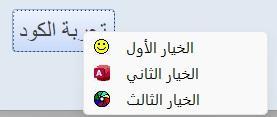
    • اعرض الملف UiMsg Framework - نظام رسائل احترافي استبدال صندوق الرسائل فى الاكسس بنموذج رسائل احترافى  بسطر واحد بس كل حاجة جاهزة  مش محتاج تفكر في تصميم نموذج مش محتاج نموذج الرسائل يكون موجود اساسا مش محتاج تكتب كود كبير بعد كده لصندوق الرسائل استدعي الدالة وخلاص والنظام يعمل كل شئ  النظام يقدم  4 أنواع رسائل جاهزة : { معلومة - نجاح - تحذير - خطأ } كل نوع بتصميمه ولونه وأيقونته معلومة : من خلال : UiInfo        اللون : أزرق نجاح    : من خلال : UiSuccess   اللون : أخضر تحذير   : من خلال : UiWarning  اللون : برتقالي خطأ     : من خلال : UiError      اللون : أحمر   3 أنواع إدخال : { نص حر - رقم مع تحقق تلقائي - اختيار من قائمة } نص حر : من خلال : UiInput رقم مع تحقق تلقائي: من خلال : UiInputNum يرفض الحروف بدون ما تكتب سطر واحد اختيار من قائمة : من خلال : UiPick   قرارات متعددة : { تأكيد نعم/لا - ثلاثة خيارات أزرار مخصصة بأسماء ترجعها النتيجة مباشرة } نعم / لا        : من خلال : BlnUiConfirm   يرجع True أو False مباشرة ثلاثة خيارات  : من خلال :IntUiConfirm3   يرجع 1 أو 2 أو 0 أزرار مخصصة : من خلال :UiCustom         يرجع اسم الزر اللي اتضغط مش رقمه   دعم كامل للعربية والإنجليزية : { اتجاه النص RTL/LTR تلقائي - الأزرار والعناوين بالغتين من خلال معامل UiLangEn يكفي لتبديل كل شيء } أضف UiLangEn كآخر parameter وكل شيء يتبدل : اتجاه النص - الأزرار - العناوين الافتراضية   ثيم موحد قابل للتخصيص : { ألوان الهيدر والأيقونات والأزرار كلها من UiTheme غير لون الـ Accent في مكان واحد وكل الرسائل تتغير }  كل ألوان النظام مجمعة في UiTheme    مناسب لأي مشروع قاعدة بيانات صغير أو كبير - عربي أو إنجليزي - مبتدئ أو محترف يبني نفسه : لا تثبيت ولا إعداد كل إجراء أو وظيفة واضحة الاسم - واضحة الـ return - واضحة الاستخدام اسم الوحدة النمطية : modUIMsgFramework كود الوحدة النمطية.. Option Explicit Option Compare Database Public Enum UiIcon UiIconInfo = 0 UiIconSuccess = 1 UiIconWarning = 2 UiIconError = 3 UiIconQuestion = 4 End Enum Public Enum UiMode UiModeAlert = 0 UiModeInput = 1 UiModeNumber = 2 UiModeList = 3 End Enum Public Enum UiLang UiLangAr = 0 UiLangEn = 1 End Enum Public Type UiParams strMessage As String strTitle As String strButtons As String strDefault As String strList As String strDetails As String strResult As String enuIcon As UiIcon enuMode As UiMode enuLang As UiLang End Type Public Type UiTheme lngAccent As Long lngHeader As Long lngBg As Long lngText As Long lngMuted As Long lngBorder As Long lngSuccess As Long lngWarning As Long lngError As Long lngInfo As Long lngQuestion As Long End Type Private Const STRFORMNAME As String = "frmUiMsg" Private Const STRMODNAME As String = "modUICore" Private Const MAX_BUTTONS As Integer = 5 Private Const FRM_W As Long = 9000 Private m_typParams As UiParams Public Function TypDefaultTheme() As UiTheme Dim typT As UiTheme typT.lngAccent = RGB(0, 120, 212) typT.lngHeader = RGB(32, 32, 38) typT.lngBg = RGB(245, 246, 250) typT.lngText = RGB(30, 30, 35) typT.lngMuted = RGB(120, 120, 130) typT.lngBorder = RGB(210, 212, 220) typT.lngSuccess = RGB(16, 124, 16) typT.lngWarning = RGB(200, 100, 0) typT.lngError = RGB(196, 43, 28) typT.lngInfo = RGB(0, 120, 212) typT.lngQuestion = RGB(104, 33, 122) TypDefaultTheme = typT End Function Private Function BlnFormExists(ByVal strName As String) As Boolean On Error Resume Next Dim objFrm As Object Set objFrm = CurrentProject.AllForms(strName) BlnFormExists = Not (objFrm Is Nothing) Set objFrm = Nothing On Error GoTo 0 End Function Private Sub LogError(ByVal strProc As String, _ ByVal lngNum As Long, _ ByVal strDesc As String) Debug.Print "[" & STRMODNAME & "." & strProc & "] " & _ "Err " & lngNum & ": " & strDesc & _ " @ " & Now() End Sub Public Function TypGetParams() As UiParams TypGetParams = m_typParams End Function Public Sub SetResult(ByVal strResult As String) m_typParams.strResult = strResult End Sub Private Sub ResetParams() Dim typEmpty As UiParams m_typParams = typEmpty End Sub Private Function StrDefaultTitle(ByVal enuIcon As UiIcon, _ ByVal enuLang As UiLang) As String If enuLang = UiLangAr Then Select Case enuIcon Case UiIconSuccess: StrDefaultTitle = "تم بنجاح" Case UiIconWarning: StrDefaultTitle = "تحذير" Case UiIconError: StrDefaultTitle = "خطأ" Case UiIconQuestion: StrDefaultTitle = "تأكيد" Case Else: StrDefaultTitle = "معلومة" End Select Else Select Case enuIcon Case UiIconSuccess: StrDefaultTitle = "Success" Case UiIconWarning: StrDefaultTitle = "Warning" Case UiIconError: StrDefaultTitle = "Error" Case UiIconQuestion: StrDefaultTitle = "Confirm" Case Else: StrDefaultTitle = "Information" End Select End If End Function Private Function StrValidateButtons(ByVal strBtns As String) As String Dim arrB() As String Dim intCnt As Integer Dim intI As Integer Dim strOut As String arrB = Split(strBtns, ",") intCnt = UBound(arrB) + 1 If intCnt > MAX_BUTTONS Then LogError "StrValidateButtons", 0, _ "تجاوز الحد الأقصى للأزرار (" & intCnt & "). سيتم اقتصارها على " & MAX_BUTTONS intCnt = MAX_BUTTONS End If For intI = 0 To intCnt - 1 If Len(strOut) > 0 Then strOut = strOut & "," strOut = strOut & Trim(arrB(intI)) Next intI StrValidateButtons = strOut End Function Private Function BlnBuildMsgForm() As Boolean On Error GoTo ErrHandler Dim typT As UiTheme Dim objFrm As Object Dim objCtl As Object Dim strTemp As String Dim intI As Integer Dim lngLeft As Long typT = TypDefaultTheme() Const HDR_H As Long = 900 Const ICON_L As Long = 200 Const ICON_T As Long = 150 Const ICON_W As Long = 600 Const ICON_H As Long = 600 Const TITLE_L As Long = 900 Const TITLE_T As Long = 200 Const TITLE_W As Long = 7800 Const TITLE_H As Long = 500 Const MSG_L As Long = 300 Const MSG_T As Long = 1050 Const MSG_W As Long = 8400 Const MSG_H As Long = 1400 Const DET_L As Long = 300 Const DET_T As Long = 2500 Const DET_W As Long = 8400 Const DET_H As Long = 700 Const INP_L As Long = 300 Const INP_T As Long = 3300 Const INP_W As Long = 8400 Const INP_H As Long = 450 Const DIV_T As Long = 4050 Const BTN_T As Long = 4250 Const BTN_W As Long = 1550 Const BTN_H As Long = 550 Const FRM_H As Long = 5000 Set objFrm = CreateForm strTemp = objFrm.Name With objFrm .Caption = "" .ScrollBars = 0 .RecordSelectors = False .NavigationButtons = False .DividingLines = False .BorderStyle = 1 .AutoCenter = True .PopUp = True .Modal = True .Width = FRM_W .Section(0).Height = FRM_H .Section(0).BackColor = typT.lngBg End With Set objCtl = CreateControl(strTemp, acRectangle, acDetail) With objCtl .Name = "recHeader": .Left = 0: .Top = 0 .Width = FRM_W: .Height = HDR_H .BackColor = typT.lngHeader: .BackStyle = 1 .BorderStyle = 0: .SpecialEffect = 0 End With Set objCtl = CreateControl(strTemp, acRectangle, acDetail) With objCtl .Name = "recIcon": .Left = ICON_L: .Top = ICON_T .Width = ICON_W: .Height = ICON_H .BackColor = typT.lngInfo: .BackStyle = 1 .BorderStyle = 0: .SpecialEffect = 0 End With Set objCtl = CreateControl(strTemp, acLabel, acDetail) With objCtl .Name = "lblIcon": .Caption = "i" .Left = ICON_L: .Top = ICON_T .Width = ICON_W: .Height = ICON_H .FontSize = 20: .FontBold = True .ForeColor = vbWhite: .BackStyle = 0: .TextAlign = 2 End With Set objCtl = CreateControl(strTemp, acLabel, acDetail) With objCtl .Name = "lblTitle": .Caption = "" .Left = TITLE_L: .Top = TITLE_T .Width = TITLE_W: .Height = TITLE_H .FontSize = 14: .FontBold = True .ForeColor = vbWhite: .BackStyle = 0: .TextAlign = 1 End With Set objCtl = CreateControl(strTemp, acLabel, acDetail) With objCtl .Name = "lblMessage": .Caption = "" .Left = MSG_L: .Top = MSG_T .Width = MSG_W: .Height = MSG_H .FontSize = 11: .ForeColor = typT.lngText .BackStyle = 0: .TextAlign = 1 End With Set objCtl = CreateControl(strTemp, acLabel, acDetail) With objCtl .Name = "lblDetails": .Caption = "" .Left = DET_L: .Top = DET_T .Width = DET_W: .Height = DET_H .FontSize = 9: .ForeColor = typT.lngMuted .BackStyle = 0: .Visible = False End With Set objCtl = CreateControl(strTemp, acTextBox, acDetail) With objCtl .Name = "txtInput" .Left = INP_L: .Top = INP_T .Width = INP_W: .Height = INP_H .FontSize = 11 .BorderColor = typT.lngBorder: .BackColor = vbWhite .Visible = False End With Set objCtl = CreateControl(strTemp, acComboBox, acDetail) With objCtl .Name = "cboList" .Left = INP_L: .Top = INP_T .Width = INP_W: .Height = INP_H .FontSize = 11 .BorderColor = typT.lngBorder: .BackColor = vbWhite .RowSourceType = "Value List" .LimitToList = True: .AllowValueListEdits = False .Visible = False End With Set objCtl = CreateControl(strTemp, acLine, acDetail) With objCtl .Name = "linDivider": .Left = 0: .Top = DIV_T .Width = FRM_W: .Height = 0 .BorderColor = typT.lngBorder: .BorderWidth = 1 End With For intI = 1 To MAX_BUTTONS lngLeft = 200 + ((intI - 1) * 1760) Set objCtl = CreateControl(strTemp, acCommandButton, acDetail) With objCtl .Name = "btn" & intI: .Caption = "btn" & intI .Left = lngLeft: .Top = BTN_T .Width = BTN_W: .Height = BTN_H .FontSize = 10: .FontBold = True .BackColor = typT.lngAccent: .ForeColor = vbWhite .BorderStyle = 0: .Visible = False .OnClick = "=ProcBtnClick(" & intI & ")" End With Next intI DoCmd.Save acForm, strTemp DoCmd.Close acForm, strTemp, acSaveYes DoCmd.Rename STRFORMNAME, acForm, strTemp BlnBuildMsgForm = True Set objCtl = Nothing: Set objFrm = Nothing Exit Function ErrHandler: LogError "BlnBuildMsgForm", Err.Number, Err.Description BlnBuildMsgForm = False Set objCtl = Nothing: Set objFrm = Nothing End Function Private Function BlnInjectMsgCode() As Boolean On Error GoTo ErrHandler Dim objMdl As Object Dim strCode As String Dim strOldCode As String DoCmd.OpenForm STRFORMNAME, acDesign, , , , acHidden Set objMdl = Forms(STRFORMNAME).Module If objMdl.CountOfLines > 0 Then strOldCode = objMdl.Lines(1, objMdl.CountOfLines) objMdl.DeleteLines 1, objMdl.CountOfLines End If strCode = StrFormCodeHeader() & _ StrFormCodeApplyIcon() & _ StrFormCodeApplyLang() & _ StrFormCodeSetupBtns() & _ StrFormCodeFillList() & _ StrFormCodeOpen() & _ StrFormCodeBtn() & _ StrFormCodeUnload() objMdl.AddFromString strCode If objMdl.CountOfLines < 10 Then If Len(strOldCode) > 0 Then objMdl.DeleteLines 1, objMdl.CountOfLines objMdl.AddFromString strOldCode End If LogError "BlnInjectMsgCode", 0, "AddFromString أنتج كوداً فارغاً، تم استعادة الكود القديم" BlnInjectMsgCode = False GoTo Cleanup End If DoCmd.Save acForm, STRFORMNAME DoCmd.Close acForm, STRFORMNAME, acSaveYes BlnInjectMsgCode = True Cleanup: Set objMdl = Nothing Exit Function ErrHandler: LogError "BlnInjectMsgCode", Err.Number, Err.Description BlnInjectMsgCode = False Set objMdl = Nothing End Function Private Function StrFormCodeHeader() As String Dim s As String s = "Option Explicit" & vbCrLf s = s & "Option Compare Database" & vbCrLf & vbCrLf s = s & "Private mintMode As Integer" & vbCrLf s = s & "Private mintLang As Integer" & vbCrLf & vbCrLf StrFormCodeHeader = s End Function Private Function StrFormCodeApplyIcon() As String Dim s As String s = "Private Sub ProcApplyIcon(ByVal intIcon As Integer)" & vbCrLf s = s & " Select Case intIcon" & vbCrLf s = s & " Case 1" & vbCrLf s = s & " Me.recHeader.BackColor = RGB(16,124,16)" & vbCrLf s = s & " Me.recIcon.BackColor = RGB(16,124,16)" & vbCrLf s = s & " Me.lblIcon.Caption = Chr(252)" & vbCrLf s = s & " Me.lblIcon.FontName = ""Wingdings""" & vbCrLf s = s & " Case 2" & vbCrLf s = s & " Me.recHeader.BackColor = RGB(200,100,0)" & vbCrLf s = s & " Me.recIcon.BackColor = RGB(200,100,0)" & vbCrLf s = s & " Me.lblIcon.Caption = Chr(56)" & vbCrLf s = s & " Me.lblIcon.FontName = ""Wingdings""" & vbCrLf s = s & " Case 3" & vbCrLf s = s & " Me.recHeader.BackColor = RGB(196,43,28)" & vbCrLf s = s & " Me.recIcon.BackColor = RGB(196,43,28)" & vbCrLf s = s & " Me.lblIcon.Caption = Chr(251)" & vbCrLf s = s & " Me.lblIcon.FontName = ""Wingdings""" & vbCrLf s = s & " Case 4" & vbCrLf s = s & " Me.recHeader.BackColor = RGB(104,33,122)" & vbCrLf s = s & " Me.recIcon.BackColor = RGB(104,33,122)" & vbCrLf s = s & " Me.lblIcon.Caption = Chr(63)" & vbCrLf s = s & " Me.lblIcon.FontName = ""Wingdings""" & vbCrLf s = s & " Case Else" & vbCrLf s = s & " Me.recHeader.BackColor = RGB(0,120,212)" & vbCrLf s = s & " Me.recIcon.BackColor = RGB(0,120,212)" & vbCrLf s = s & " Me.lblIcon.Caption = Chr(105)" & vbCrLf s = s & " Me.lblIcon.FontName = ""Arial""" & vbCrLf s = s & " End Select" & vbCrLf s = s & "End Sub" & vbCrLf & vbCrLf StrFormCodeApplyIcon = s End Function Private Function StrFormCodeApplyLang() As String Dim s As String s = "Private Sub ProcApplyLang(ByVal intLang As Integer)" & vbCrLf s = s & " Dim intAlign As Integer" & vbCrLf s = s & " intAlign = IIf(intLang = 0, 3, 1)" & vbCrLf s = s & " Me.lblTitle.TextAlign = intAlign" & vbCrLf s = s & " Me.lblMessage.TextAlign = intAlign" & vbCrLf s = s & " Me.lblDetails.TextAlign = intAlign" & vbCrLf s = s & " Me.txtInput.TextAlign = intAlign" & vbCrLf s = s & " Me.cboList.TextAlign = intAlign" & vbCrLf s = s & "End Sub" & vbCrLf & vbCrLf StrFormCodeApplyLang = s End Function Private Function StrFormCodeSetupBtns() As String Dim s As String s = "Private Sub ProcSetupBtns(ByVal strBtns As String, ByVal intLang As Integer)" & vbCrLf s = s & " Dim arrBtns() As String" & vbCrLf s = s & " Dim intTotal As Integer" & vbCrLf s = s & " Dim intI As Integer" & vbCrLf s = s & " Dim lngBtnW As Long" & vbCrLf s = s & " Dim lngBtnH As Long" & vbCrLf s = s & " Dim lngGap As Long" & vbCrLf s = s & " Dim lngTotalW As Long" & vbCrLf s = s & " Dim lngStartX As Long" & vbCrLf s = s & " Dim blnIsRtl As Boolean" & vbCrLf s = s & " arrBtns = Split(strBtns, "","")" & vbCrLf s = s & " intTotal = UBound(arrBtns) + 1" & vbCrLf s = s & " If intTotal > 5 Then intTotal = 5" & vbCrLf s = s & " blnIsRtl = (intLang = 0)" & vbCrLf s = s & " lngBtnW = 1550" & vbCrLf s = s & " lngBtnH = 550" & vbCrLf s = s & " lngGap = 200" & vbCrLf s = s & " lngTotalW = (intTotal * lngBtnW) + ((intTotal - 1) * lngGap)" & vbCrLf s = s & " lngStartX = (Me.Width - lngTotalW) \ 2" & vbCrLf s = s & " For intI = 1 To 5" & vbCrLf s = s & " Me(""btn"" & intI).Visible = False" & vbCrLf s = s & " Next intI" & vbCrLf s = s & " For intI = 1 To intTotal" & vbCrLf s = s & " With Me(""btn"" & intI)" & vbCrLf s = s & " .Caption = Trim(arrBtns(intI - 1))" & vbCrLf s = s & " If blnIsRtl Then" & vbCrLf s = s & " .Left = lngStartX + ((intTotal - intI) * (lngBtnW + lngGap))" & vbCrLf s = s & " Else" & vbCrLf s = s & " .Left = lngStartX + ((intI - 1) * (lngBtnW + lngGap))" & vbCrLf s = s & " End If" & vbCrLf s = s & " .Top = 4250: .Width = lngBtnW: .Height = lngBtnH" & vbCrLf s = s & " .Visible = True" & vbCrLf s = s & " End With" & vbCrLf s = s & " Next intI" & vbCrLf s = s & "End Sub" & vbCrLf & vbCrLf StrFormCodeSetupBtns = s End Function Private Function StrFormCodeFillList() As String Dim s As String s = "Private Sub ProcFillList(ByVal strItems As String, ByVal strDefault As String)" & vbCrLf s = s & " Dim arrItems() As String" & vbCrLf s = s & " Dim strSource As String" & vbCrLf s = s & " Dim intI As Integer" & vbCrLf s = s & " arrItems = Split(strItems, "","")" & vbCrLf s = s & " For intI = 0 To UBound(arrItems)" & vbCrLf s = s & " strSource = strSource & Trim(arrItems(intI)) & "";""" & vbCrLf s = s & " Next intI" & vbCrLf s = s & " Me.cboList.RowSource = strSource" & vbCrLf s = s & " If Len(Trim(strDefault)) > 0 Then" & vbCrLf s = s & " Me.cboList.Value = strDefault" & vbCrLf s = s & " ElseIf UBound(arrItems) >= 0 Then" & vbCrLf s = s & " Me.cboList.Value = Trim(arrItems(0))" & vbCrLf s = s & " End If" & vbCrLf s = s & "End Sub" & vbCrLf & vbCrLf StrFormCodeFillList = s End Function Private Function StrFormCodeOpen() As String Dim s As String s = "Private Sub Form_Open(Cancel As Integer)" & vbCrLf s = s & " On Error GoTo ErrHandler" & vbCrLf s = s & " Dim typP As UiParams" & vbCrLf s = s & " typP = TypGetParams()" & vbCrLf s = s & " mintMode = CInt(typP.enuMode)" & vbCrLf s = s & " mintLang = CInt(typP.enuLang)" & vbCrLf s = s & " Me.Caption = typP.strTitle" & vbCrLf s = s & " Me.lblTitle.Caption = typP.strTitle" & vbCrLf s = s & " Me.lblMessage.Caption = typP.strMessage" & vbCrLf s = s & " Me.lblDetails.Visible = (Len(Trim(typP.strDetails)) > 0)" & vbCrLf s = s & " If Me.lblDetails.Visible Then Me.lblDetails.Caption = typP.strDetails" & vbCrLf s = s & " ProcApplyIcon CInt(typP.enuIcon)" & vbCrLf s = s & " ProcApplyLang mintLang" & vbCrLf s = s & " ProcSetupBtns typP.strButtons, mintLang" & vbCrLf s = s & " Me.txtInput.Visible = (mintMode = 1 Or mintMode = 2)" & vbCrLf s = s & " Me.cboList.Visible = (mintMode = 3)" & vbCrLf s = s & " If mintMode = 1 Or mintMode = 2 Then" & vbCrLf s = s & " Me.txtInput.Value = typP.strDefault" & vbCrLf s = s & " Me.txtInput.SetFocus" & vbCrLf s = s & " End If" & vbCrLf s = s & " If mintMode = 3 Then" & vbCrLf s = s & " ProcFillList typP.strList, typP.strDefault" & vbCrLf s = s & " Me.cboList.SetFocus" & vbCrLf s = s & " End If" & vbCrLf s = s & " Exit Sub" & vbCrLf s = s & "ErrHandler:" & vbCrLf s = s & " Debug.Print ""Form_Open Err: "" & Err.Number & "" - "" & Err.Description" & vbCrLf s = s & " DoCmd.Close acForm, Me.Name" & vbCrLf s = s & "End Sub" & vbCrLf & vbCrLf StrFormCodeOpen = s End Function Private Function StrFormCodeBtn() As String Dim s As String s = "Public Function ProcBtnClick(ByVal intNum As Integer)" & vbCrLf s = s & " On Error GoTo ErrHandler" & vbCrLf s = s & " Dim strResult As String" & vbCrLf s = s & " Dim strWarn As String" & vbCrLf s = s & " Select Case mintMode" & vbCrLf s = s & " Case 1" & vbCrLf s = s & " If intNum = 1 Then" & vbCrLf s = s & " strResult = Nz(Me.txtInput.Value, """")" & vbCrLf s = s & " Else" & vbCrLf s = s & " strResult = ""__CANCEL__""" & vbCrLf s = s & " End If" & vbCrLf s = s & " Case 2" & vbCrLf s = s & " If intNum = 1 Then" & vbCrLf s = s & " If Len(Nz(Me.txtInput.Value, """")) > 0 Then" & vbCrLf s = s & " If Not IsNumeric(Me.txtInput.Value) Then" & vbCrLf s = s & " strWarn = IIf(mintLang = 0, ""أدخل رقماً صحيحاً"", ""Enter a valid number"")" & vbCrLf s = s & " MsgBox strWarn, vbExclamation" & vbCrLf s = s & " Me.txtInput.SetFocus" & vbCrLf s = s & " Exit Function" & vbCrLf s = s & " End If" & vbCrLf s = s & " End If" & vbCrLf s = s & " strResult = Nz(Me.txtInput.Value, """")" & vbCrLf s = s & " Else" & vbCrLf s = s & " strResult = ""__CANCEL__""" & vbCrLf s = s & " End If" & vbCrLf s = s & " Case 3" & vbCrLf s = s & " If intNum = 1 Then" & vbCrLf s = s & " strResult = Nz(Me.cboList.Value, """")" & vbCrLf s = s & " Else" & vbCrLf s = s & " strResult = ""__CANCEL__""" & vbCrLf s = s & " End If" & vbCrLf s = s & " Case Else" & vbCrLf s = s & " strResult = Me(""btn"" & intNum).Caption" & vbCrLf s = s & " End Select" & vbCrLf s = s & " SetResult strResult" & vbCrLf s = s & " DoCmd.Close acForm, Me.Name" & vbCrLf s = s & " Exit Function" & vbCrLf s = s & "ErrHandler:" & vbCrLf s = s & " Debug.Print ""ProcBtnClick Err: "" & Err.Number & "" - "" & Err.Description" & vbCrLf s = s & "End Function" & vbCrLf & vbCrLf StrFormCodeBtn = s End Function Private Function StrFormCodeUnload() As String Dim s As String s = "Private Sub Form_Unload(Cancel As Integer)" & vbCrLf s = s & " Dim typP As UiParams" & vbCrLf s = s & " typP = TypGetParams()" & vbCrLf s = s & " If Len(Nz(typP.strResult, """")) = 0 Then" & vbCrLf s = s & " SetResult ""__CANCEL__""" & vbCrLf s = s & " End If" & vbCrLf s = s & "End Sub" & vbCrLf StrFormCodeUnload = s End Function Private Function BlnEnsureForm() As Boolean On Error GoTo ErrHandler If BlnFormExists(STRFORMNAME) Then BlnEnsureForm = True Exit Function End If If Not BlnBuildMsgForm() Then LogError "BlnEnsureForm", 0, "BlnBuildMsgForm failed" Exit Function End If If Not BlnInjectMsgCode() Then LogError "BlnEnsureForm", 0, "BlnInjectMsgCode failed" Exit Function End If BlnEnsureForm = True Exit Function ErrHandler: LogError "BlnEnsureForm", Err.Number, Err.Description BlnEnsureForm = False End Function Private Function StrShowMsg(ByVal strMsg As String, _ ByVal enuIcon As UiIcon, _ ByVal strBtns As String, _ ByVal strTitle As String, _ ByVal enuMode As UiMode, _ ByVal strDef As String, _ ByVal strList As String, _ ByVal strDet As String, _ ByVal enuLang As UiLang) As String On Error GoTo ErrHandler If Not BlnEnsureForm() Then LogError "StrShowMsg", 0, "EnsureForm failed" StrShowMsg = "__CANCEL__" Exit Function End If If Len(Trim(strTitle)) = 0 Then strTitle = StrDefaultTitle(enuIcon, enuLang) End If ResetParams With m_typParams .strMessage = strMsg .strTitle = strTitle .strButtons = StrValidateButtons(strBtns) .enuIcon = enuIcon .enuMode = enuMode .strDefault = strDef .strList = strList .strDetails = strDet .enuLang = enuLang .strResult = "" End With DoCmd.OpenForm STRFORMNAME, acNormal, , , , acDialog StrShowMsg = m_typParams.strResult If Len(StrShowMsg) = 0 Then StrShowMsg = "__CANCEL__" ResetParams Exit Function ErrHandler: LogError "StrShowMsg", Err.Number, Err.Description ResetParams StrShowMsg = "__CANCEL__" End Function Public Sub UiInfo(ByVal strMsg As String, _ Optional ByVal strTitle As String = "", _ Optional ByVal enuLang As UiLang = UiLangAr) Dim strBtns As String strBtns = IIf(enuLang = UiLangAr, "موافق", "OK") StrShowMsg strMsg, UiIconInfo, strBtns, strTitle, UiModeAlert, "", "", "", enuLang End Sub Public Sub UiSuccess(ByVal strMsg As String, _ Optional ByVal strTitle As String = "", _ Optional ByVal enuLang As UiLang = UiLangAr) Dim strBtns As String strBtns = IIf(enuLang = UiLangAr, "موافق", "OK") StrShowMsg strMsg, UiIconSuccess, strBtns, strTitle, UiModeAlert, "", "", "", enuLang End Sub Public Sub UiWarning(ByVal strMsg As String, _ Optional ByVal strTitle As String = "", _ Optional ByVal enuLang As UiLang = UiLangAr) Dim strBtns As String strBtns = IIf(enuLang = UiLangAr, "موافق", "OK") StrShowMsg strMsg, UiIconWarning, strBtns, strTitle, UiModeAlert, "", "", "", enuLang End Sub Public Sub UiError(ByVal strMsg As String, _ Optional ByVal strTitle As String = "", _ Optional ByVal strDetails As String = "", _ Optional ByVal enuLang As UiLang = UiLangAr) Dim strBtns As String strBtns = IIf(enuLang = UiLangAr, "موافق", "OK") StrShowMsg strMsg, UiIconError, strBtns, strTitle, UiModeAlert, "", "", strDetails, enuLang End Sub Public Function BlnUiConfirm(ByVal strMsg As String, _ Optional ByVal strTitle As String = "", _ Optional ByVal enuLang As UiLang = UiLangAr) As Boolean Dim strBtns As String Dim strYes As String Dim strResult As String strBtns = IIf(enuLang = UiLangAr, "نعم,لا", "Yes,No") strYes = IIf(enuLang = UiLangAr, "نعم", "Yes") strResult = StrShowMsg(strMsg, UiIconQuestion, strBtns, strTitle, UiModeAlert, "", "", "", enuLang) BlnUiConfirm = (strResult = strYes) End Function Public Function IntUiConfirm3(ByVal strMsg As String, _ Optional ByVal strTitle As String = "", _ Optional ByVal enuLang As UiLang = UiLangAr) As Integer Dim strBtns As String Dim strYes As String Dim strNo As String Dim strResult As String strBtns = IIf(enuLang = UiLangAr, "نعم,لا,إلغاء", "Yes,No,Cancel") strYes = IIf(enuLang = UiLangAr, "نعم", "Yes") strNo = IIf(enuLang = UiLangAr, "لا", "No") strResult = StrShowMsg(strMsg, UiIconQuestion, strBtns, strTitle, UiModeAlert, "", "", "", enuLang) Select Case strResult Case strYes: IntUiConfirm3 = 1 Case strNo: IntUiConfirm3 = 2 Case Else: IntUiConfirm3 = 0 End Select End Function Public Function UiInput(ByVal strMsg As String, _ Optional ByVal strTitle As String = "", _ Optional ByVal strDefault As String = "", _ Optional ByVal enuLang As UiLang = UiLangAr) As String Dim strBtns As String Dim strResult As String strBtns = IIf(enuLang = UiLangAr, "موافق,إلغاء", "OK,Cancel") strResult = StrShowMsg(strMsg, UiIconInfo, strBtns, strTitle, UiModeInput, strDefault, "", "", enuLang) UiInput = IIf(strResult = "__CANCEL__", "", strResult) End Function Public Function UiInputNum(ByVal strMsg As String, _ Optional ByVal strTitle As String = "", _ Optional ByVal strDefault As String = "", _ Optional ByVal enuLang As UiLang = UiLangAr) As String Dim strBtns As String Dim strResult As String strBtns = IIf(enuLang = UiLangAr, "موافق,إلغاء", "OK,Cancel") strResult = StrShowMsg(strMsg, UiIconInfo, strBtns, strTitle, UiModeNumber, strDefault, "", "", enuLang) Select Case strResult Case "__CANCEL__", "": UiInputNum = "" Case Else UiInputNum = IIf(IsNumeric(strResult), strResult, "") End Select End Function Public Function UiPick(ByVal strMsg As String, _ ByVal strItems As String, _ Optional ByVal strTitle As String = "", _ Optional ByVal strDefault As String = "", _ Optional ByVal enuLang As UiLang = UiLangAr) As String Dim strBtns As String Dim strResult As String strBtns = IIf(enuLang = UiLangAr, "موافق,إلغاء", "OK,Cancel") strResult = StrShowMsg(strMsg, UiIconQuestion, strBtns, strTitle, UiModeList, strDefault, strItems, "", enuLang) UiPick = IIf(strResult = "__CANCEL__", "", strResult) End Function Public Function UiCustom(ByVal strMsg As String, _ ByVal strBtns As String, _ Optional ByVal enuIcon As UiIcon = UiIconQuestion, _ Optional ByVal strTitle As String = "", _ Optional ByVal enuLang As UiLang = UiLangAr) As String Dim strResult As String strResult = StrShowMsg(strMsg, enuIcon, strBtns, strTitle, UiModeAlert, "", "", "", enuLang) UiCustom = IIf(strResult = "__CANCEL__", "", strResult) End Function ' ===================================== ' أمثلة الاستخدام ' ===================================== ' UiSuccess "تم انشاء النظام بنجاح" ' UiInfo "رسالة معلومة" ' UiWarning "تحذير: لا يمكن التراجع" ' UiError "حدث خطأ", "", "تفاصيل الخطأ" ' ' If BlnUiConfirm("هل تريد الحذف؟") Then ... ' ' Select Case IntUiConfirm3("حفظ التغييرات؟") ' Case 1: ' نعم ' Case 2: ' لا ' Case 0: ' إلغاء ' End Select ' ' Dim s As String ' s = StrUiInput("أدخل اسمك", "", "محمد") ' If Len(s) > 0 Then ... ' ' Dim n As String ' n = StrUiInputNum("أدخل العمر", "", "25") ' ' Dim pick As String ' pick = StrUiPick("اختر قسم", "مبيعات,محاسبة,مخازن,إدارة") ' ' Dim choice As String ' choice = StrUiCustom("اختر خيار", "حفظ,تجاهل,إلغاء") ' Select Case choice ' Case "حفظ": ... ' Case "تجاهل": ... ' Case "": ' أُغلق بدون اختيار ' End Select   طريقة الاعداد و التشغيل : بعد اضافة الوحدة النمطية: modUIMsgFramework  الى قاعدة بياناتك  استدعي من أي زر أمر داخل أى نموذج أو من النافذة الفورية مباشرة UiSuccess "تم انشاء النظام بنجاح" للتجربة الفورية فى المرفق تم اضافة ما يلى : وحدة نمطية باسم : modBuildTestUI  ماكرو باسم : BuildTestUI شغل الماكرو BuildTestUI على الفور هيتم عمل جدول tblEmployees يحتوى على بيانات افتراضية غير حقيقية للتجربة وهيتم عمل نموذج اختبار متكامل وفتحة بشكل مباشر صاحب الملف عسل قليل الدسم تمت الاضافه 04/29/26 الاقسام قسم الأكسيس  
  • أحدث الموضوعات

  • اعلي المشاركون تقييماً

  • اعلي التحميلات من مكتبة الموقع

  • مدونات فرق الموقع

×
×
  • اضف...

Important Information